


Summarize Emails. Visualize Threads.
Get It Done.
Turn Gmail and Outlook threads into structured summaries, action items, timelines, and flowcharts. AI included, no API key needed. Private by design — we never store your emails.
Free to start. See Pro plans
GmailOutlookOpenAI · Gemini · Claude · Grok
Free plan, no credit card
Privacy-first — we never store emails
Works with OpenAI, Gemini, Claude & Grok
From summary to flowchart — in one click
Extract summaries and action items, then visualize threads as timelines, reply trees and process diagrams.
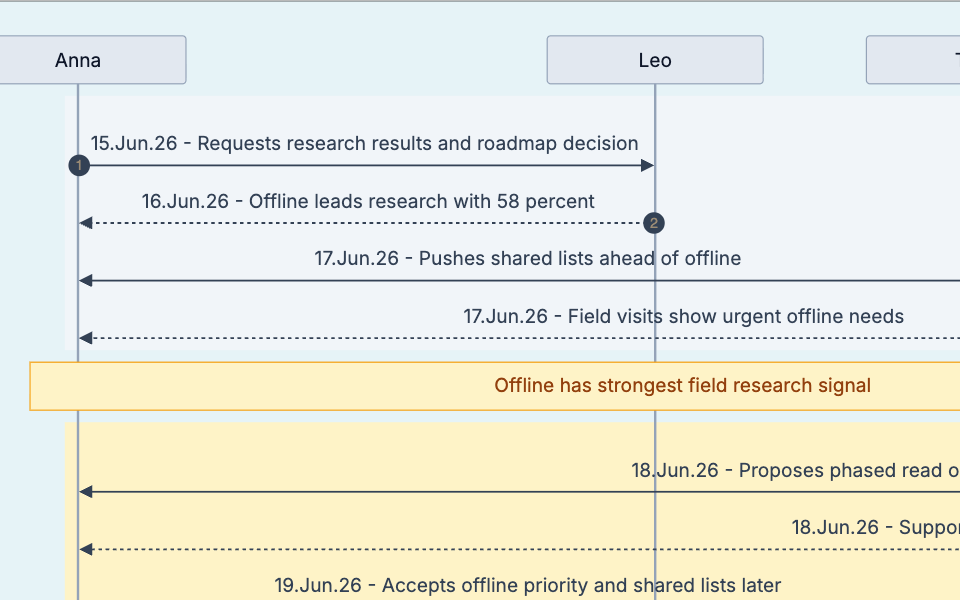
Thread Timeline
FREESee who said what, in what order, and when opinions changed.
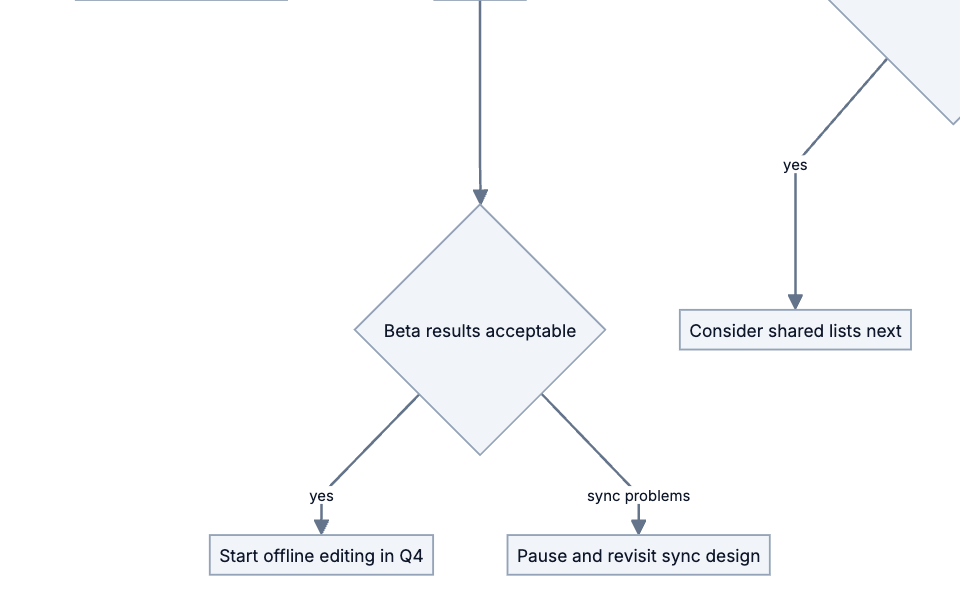
Decision Flowchart
FREEDecisions, owners, deadlines and if/else outcomes in one tree.
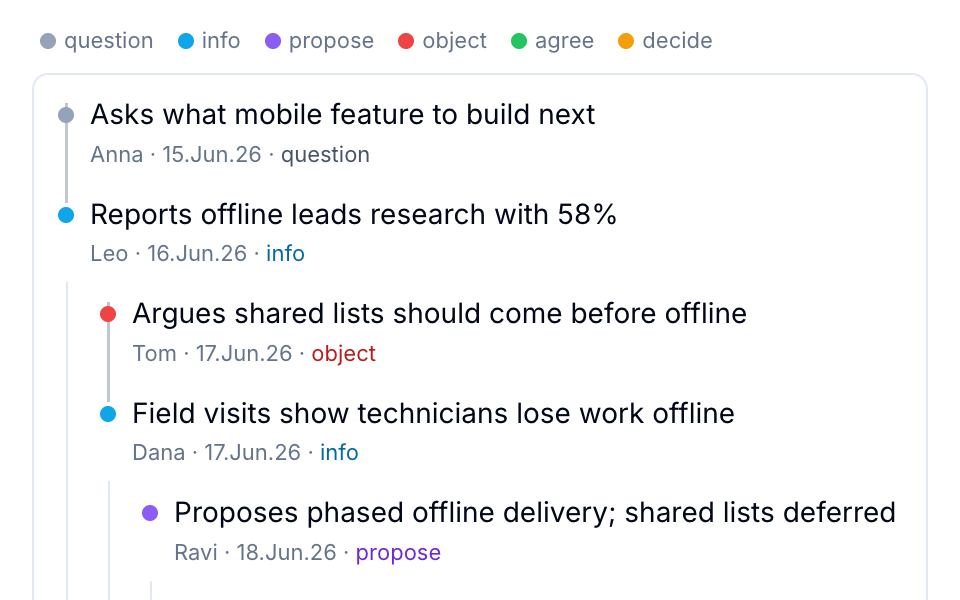
Reply Tree
FREEWho answered whom, where the debate split, and who objected or agreed.
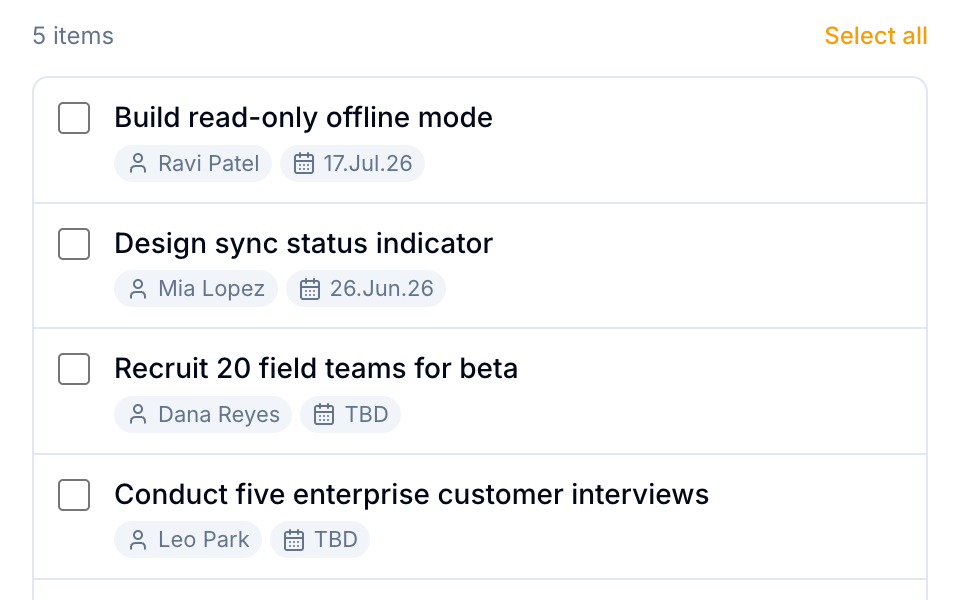
Action Items
FREEExtract who, what, and when — never miss a task buried in a long thread.
Executive Summary
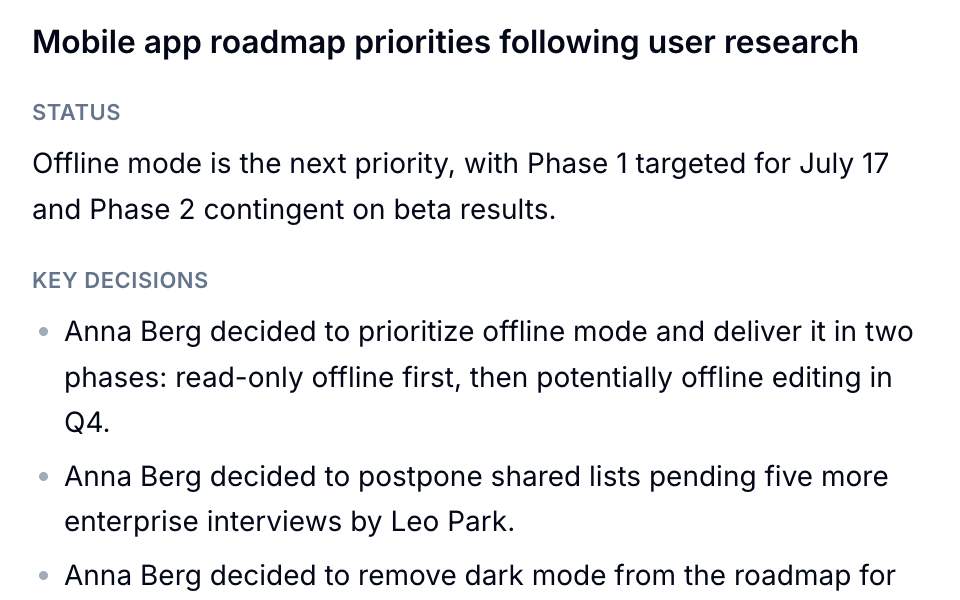
FREEGet the gist of any email thread in seconds. Structured, concise, ready to act on.
Learn more: how the email thread visualizer works · how to summarize an email thread
How it works
Three steps. Zero setup friction.
STEP 1
Open an email
Open any email thread in Gmail or Outlook — long or short.
STEP 2
Open the side panel
Click the Mail2Action icon in your toolbar (or press Alt+Shift+M). The panel follows whichever email you open.
STEP 3
Get structured output
Get structured summaries, action items, visual timelines, and flowcharts — extracted instantly.
Private by Design
Mail2Action AI processes an email only to create your result. We never store it, and it is never used for training. Prefer it never touches our servers? Use your own API key and the email goes straight to your AI provider.
Your
Browser
encrypted→
not stored
Mail2Action AI
encrypted→
no training
OpenAI
Your
Browser
your own key→
Direct to
AI Provider
We never store or log emailsOptional: bring your own keyGDPR-friendly by design
Simple, transparent pricing
Start free. Upgrade when you need more.
Free
$0 /mo
placeholder
Every feature, copy included
Add to Chrome- 30 AI runs / month, no API key needed
- Executive Summary
- Action Items
- Thread Timeline
- Reply Tree
- Decision Flowchart
- Copy to clipboard
- Export (CSV, SVG, PNG)
No credit card required. Upgrade anytime.
Own API key? Unlock export once for $12.99
BEST DEAL
14-day money-back guarantee
Pro
$44.99/yr
$3.75/mo billed yearly. Save 37% vs monthly. Cancel anytime.
Get Pro — $44.99/yr- 1000 AI runs / month, no API key needed
- Executive Summary
- Action Items
- Thread Timeline
- Reply Tree
- Decision Flowchart
- Copy to clipboard
- Export (CSV, SVG, PNG)
Out of runs? Add your own API key for unlimited use.
Prices include applicable taxes
Frequently asked questions
Everything you need to know about Mail2Action.
Is my email data safe?
Yes. With Mail2Action AI (included), the email text is sent to our server and processed by OpenAI only to create your result. We never store or log it, and OpenAI doesn't use it for training. Prefer it never to touch our servers? Use your own API key: then the text goes directly from your browser to your chosen AI provider (OpenAI, Google Gemini, Anthropic, or xAI).
Which email providers are supported?
Mail2Action works with Gmail and Microsoft Outlook Web (outlook.office.com, outlook.office365.com, outlook.live.com). Install the free Chrome extension, open any email thread, and get structured summaries, action items, and visual diagrams instantly.
Do I need an API key?
No. Mail2Action AI is included, with a monthly allowance of runs (more with Pro). If you want unlimited runs or a specific model, add your own API key from OpenAI, Google Gemini, Anthropic (Claude), or xAI (Grok) in Settings.
What's the difference between Free and Pro?
Free gives you every feature — Executive Summary, Action Items, Thread Timeline, Reply Tree, and Decision Flowchart — in the side panel, including copy to clipboard, with a monthly allowance of Mail2Action AI runs. Pro raises the allowance and adds export as CSV, SVG, or PNG. Using your own API key? A one-time Export Unlock adds export without a subscription.
What happens when my runs are used up?
Runs reset at the start of each month, and the extension always shows how many you have left. Until then, add your own API key in Settings for unlimited runs.
Does the AI cost extra?
No. Mail2Action AI is included in every plan. One run is one result, such as a summary. If you use your own API key instead, your provider bills you directly — usually fractions of a cent per email.
Can Mail2Action visualize email threads as diagrams?
Yes. Thread Timeline shows who said what in chronological order, Reply Tree shows who answered whom and where the discussion branched, and Decision Flowchart converts discussed workflows into flowcharts. Pro can export the timeline and flowchart as SVG or PNG.
Ready to summarize and visualize your email threads?
Summaries, action items, timelines, and diagrams — extracted from any thread in one click.
Add to Chrome — It's FreeFree plan, no credit card.